Manually mark filed
If you’ve filed your tax return via HMRC or an accountant say, then you can now mark the previous tax year as ‘filed’. You can do so by jumping back into the previous tax year by tapping the date at the top of the home screen.
Here you’ll see the option to file your return on the home screen on web app or control panel on mobile.
Power-up: Your new home
Power-ups: A new home for all of your feature upgrades. Imagine it a bit like BATMAN’s utility belt, but a bit better, with a better name. Only on HERO.

Security
Enhanced security: TAXO’D now uses bio-metrics to safeguard your account on mobile. You can choose to protect your account with PIN, Touch ID or, if you’ve forked out a shilling or two for your phone, then Face ID.
You can manage your security options under the new power-ups sections on your mobile.

Category manager
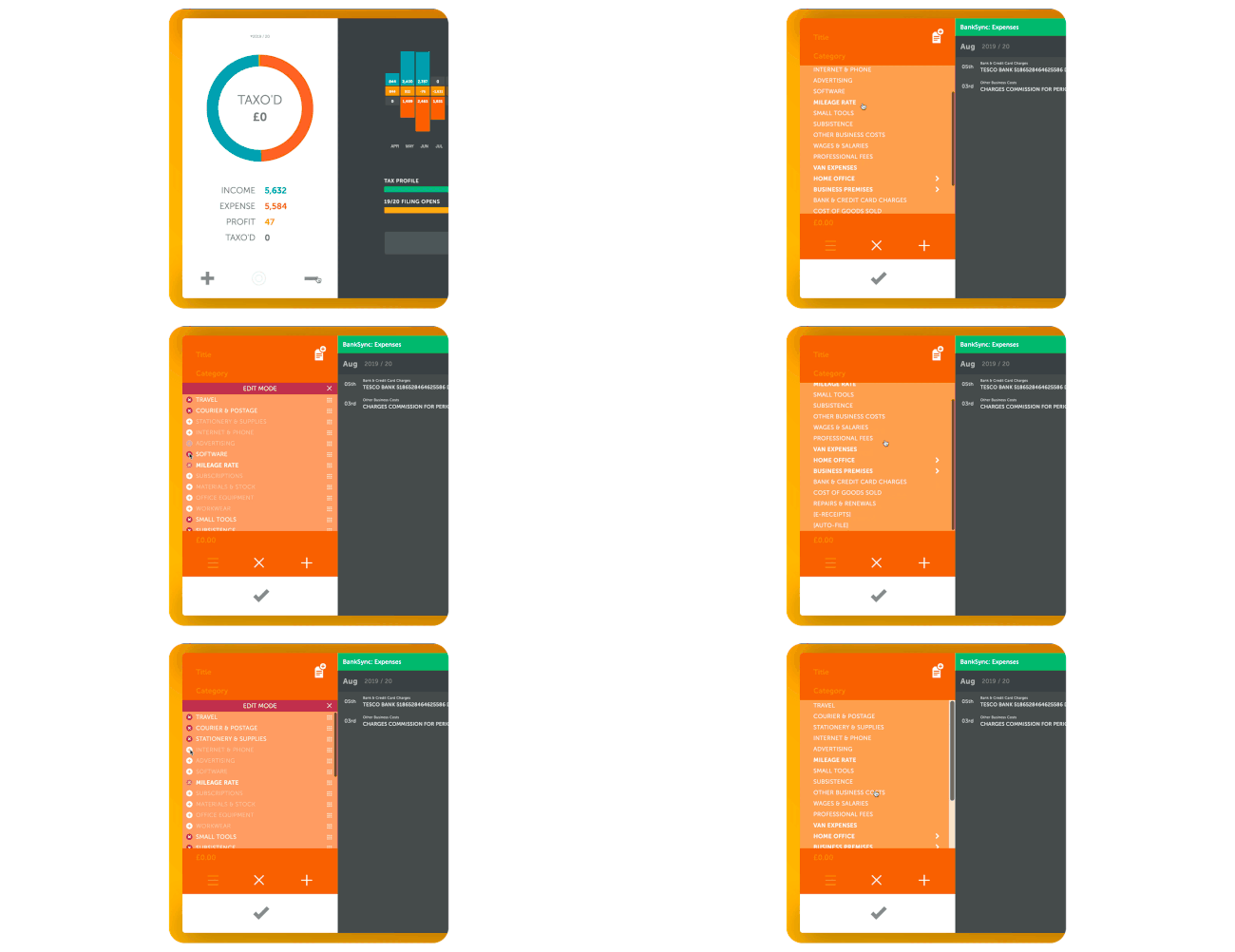
As one of our most requested additions, you now have the ability to Show/hide or re-organise your categories within the expense category drop-down. When you next jump into the category drop-down pull the list down as far as it goes to jump into EDIT MODE. Now you can tap or click on the switches next each of the categories to show/hide them.
You asked we made: Now have the ability to Show/hide or re-organise your categories within the expenses category drop-down.
One of our most requested features for TAXO’D is the ability to manage your categories. It may be that your type of work only requires you to use just a few of the categories often, so you don’t need to be trawling through a long list each time.
So now when you next jump into the category drop-down pull the list down as far as it goes and it will jump into EDIT MODE. Now you can tap or click on the switches next each of the categories to show/hide them. Or, grab the gripper dow the right and move the categories up or down re-organising your list to choosing.
Multi-select
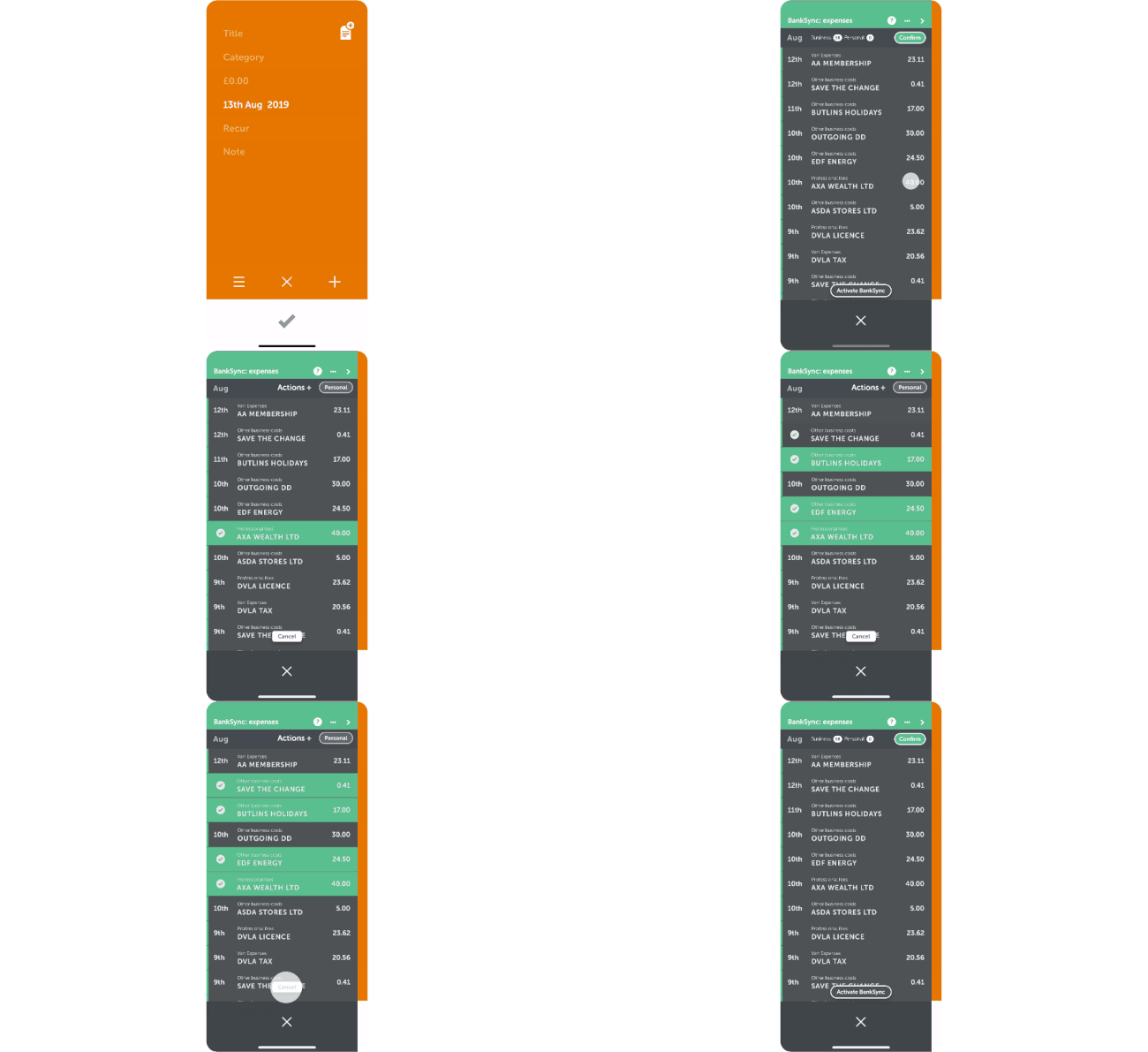
Swipe left on a transaction in your income/receipt drawer and tap on any other items to select multiple transactions at once. Here you can choose to remove or apply an Action+ all at once.

On mobile, swipe left on any transaction to select your first record then, tap on any other transactions that you want to mark as personal. Then once again, choose to remove or apply an Action+.
Talk to us – always
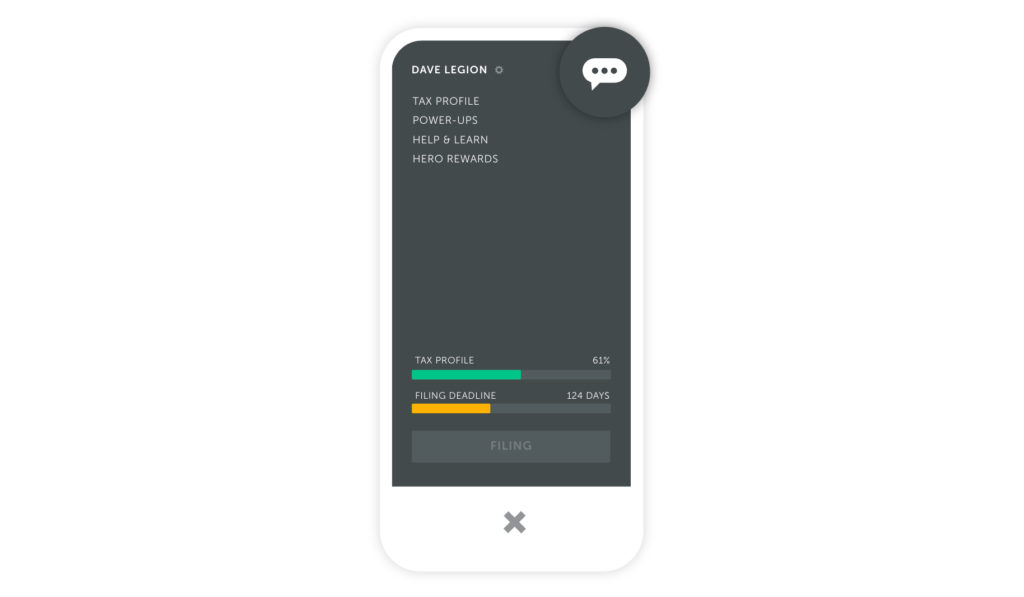
Our chat use to be hidden in the HELP & LEARN drawer, but now you can access In-app support via the control panel. You’ll find in the top-right of the control panel along with a history of all your previous conversations should you ever need to reference them any time.
Performance improvements
We’re always refining TAXO’D’s architecture. With each build we get faster, stabler, less buggy, more… better.